
See it. Believe it. Manifest it.
Vision board app for iPhone and iPad
Build a board of pictures, notes and stickers, then keep it where you’ll see it every day. A new affirmation each morning, two minutes of gratitude at night.

This season
For a fresh start

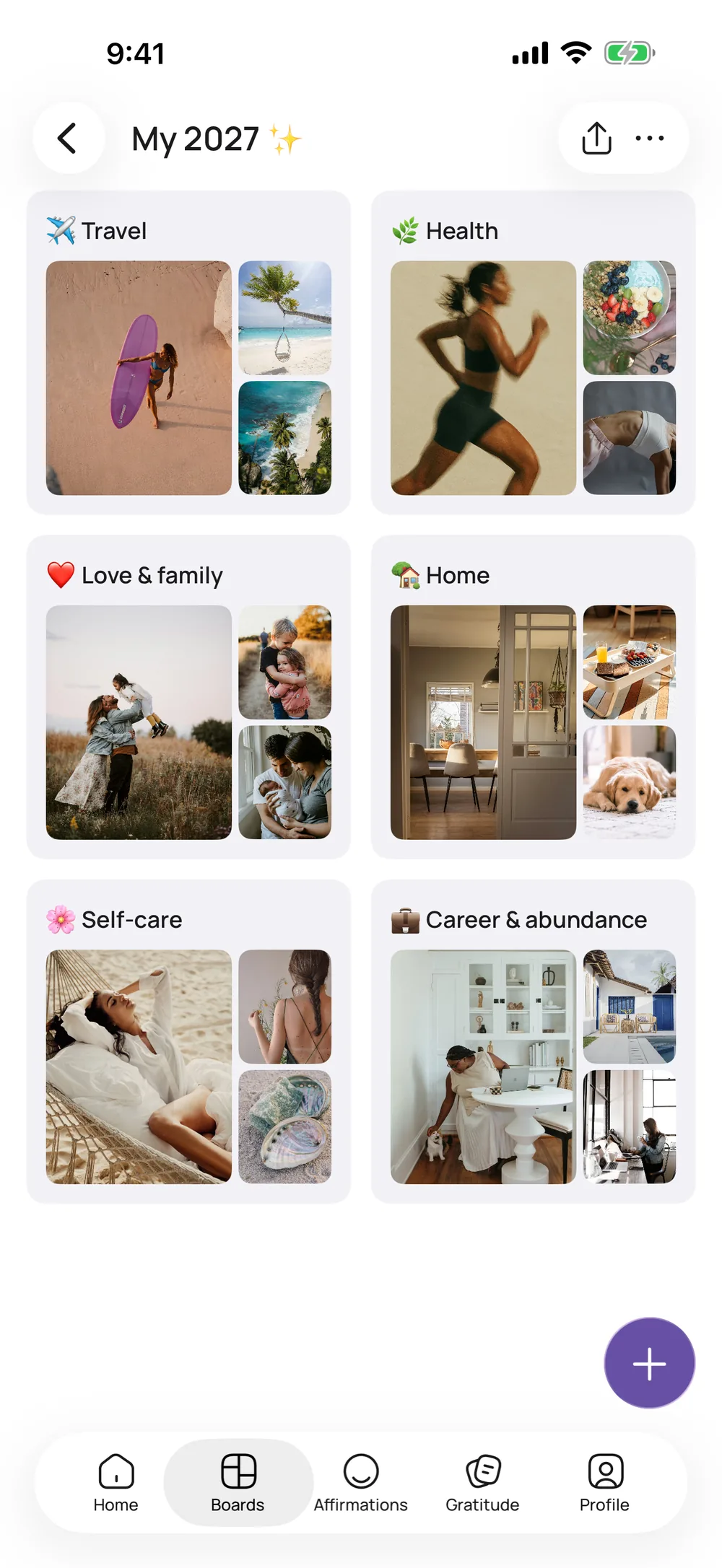
2027 Vision Board
What the year means, the best new moon dates and a free printable template.
Read the 2027 guide
13 Wishes Ritual
The German winter custom of 13 wishes and 12 nights, with dates and a free vision board.
See the ritual
Winter Arc
A gentle plan for the dark months: small habits, no pressure.
Start your winter arc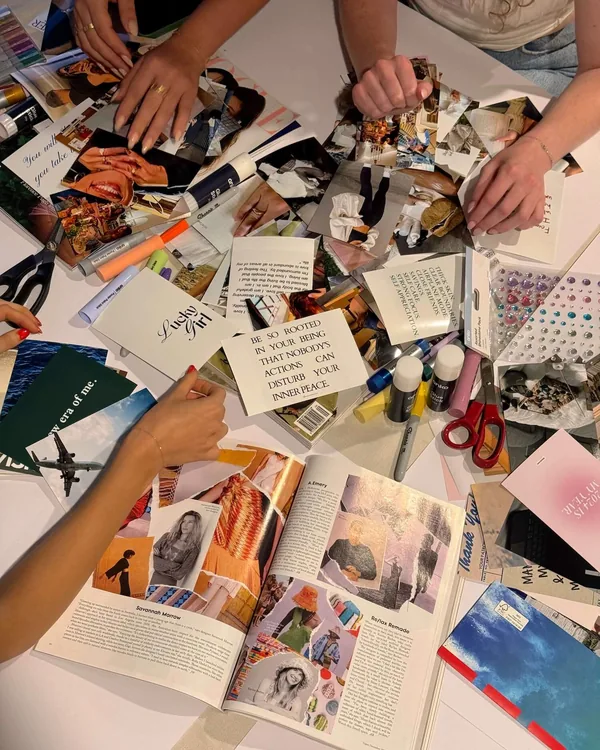
Vision Board Party
Snacks, a playlist, a supply list and what to wear for a night in with friends.
Plan your party
How it works
Your vision board in three steps
- 01
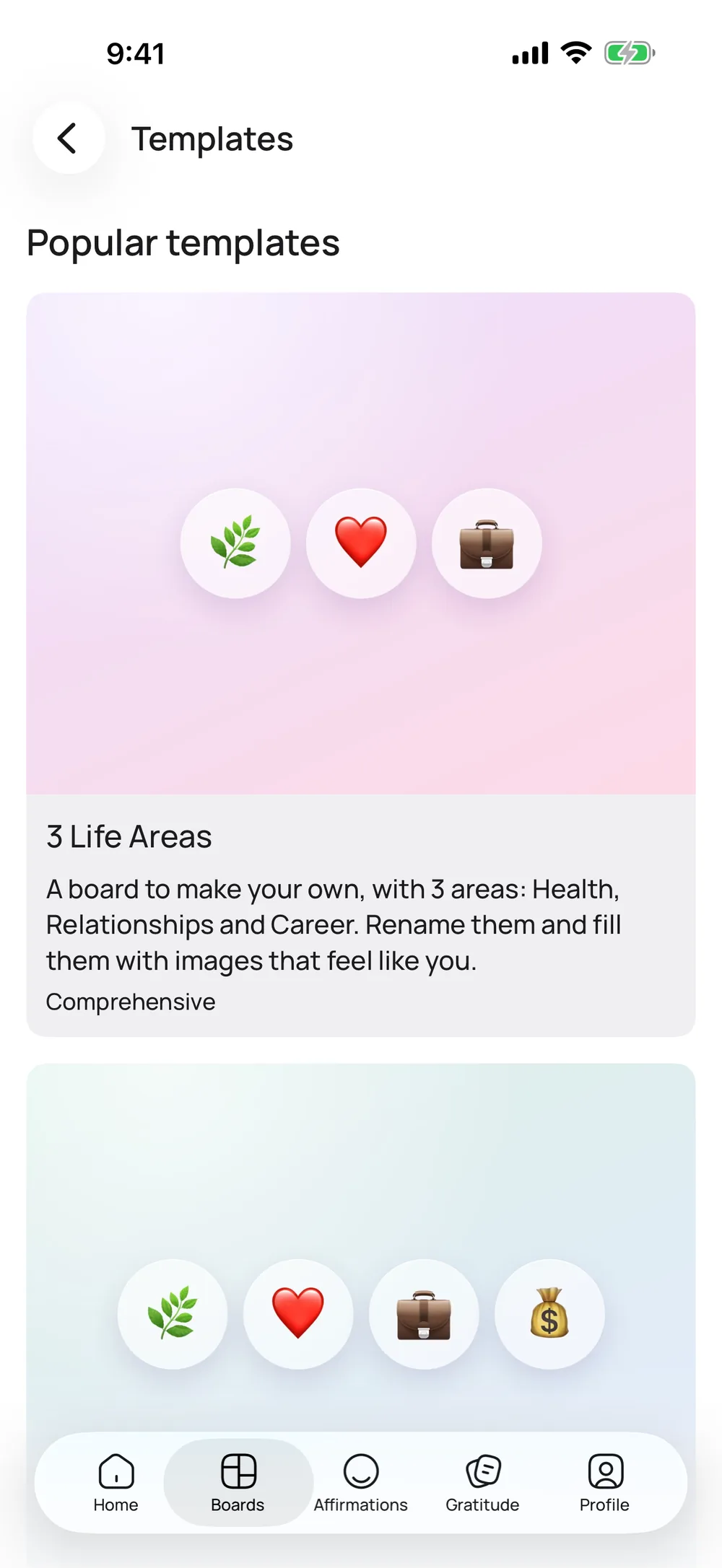
Pick a template or start blank
Templates come with life areas, prompts and image ideas, and eight of them are free. Or open a blank board and make it yours.
- 02
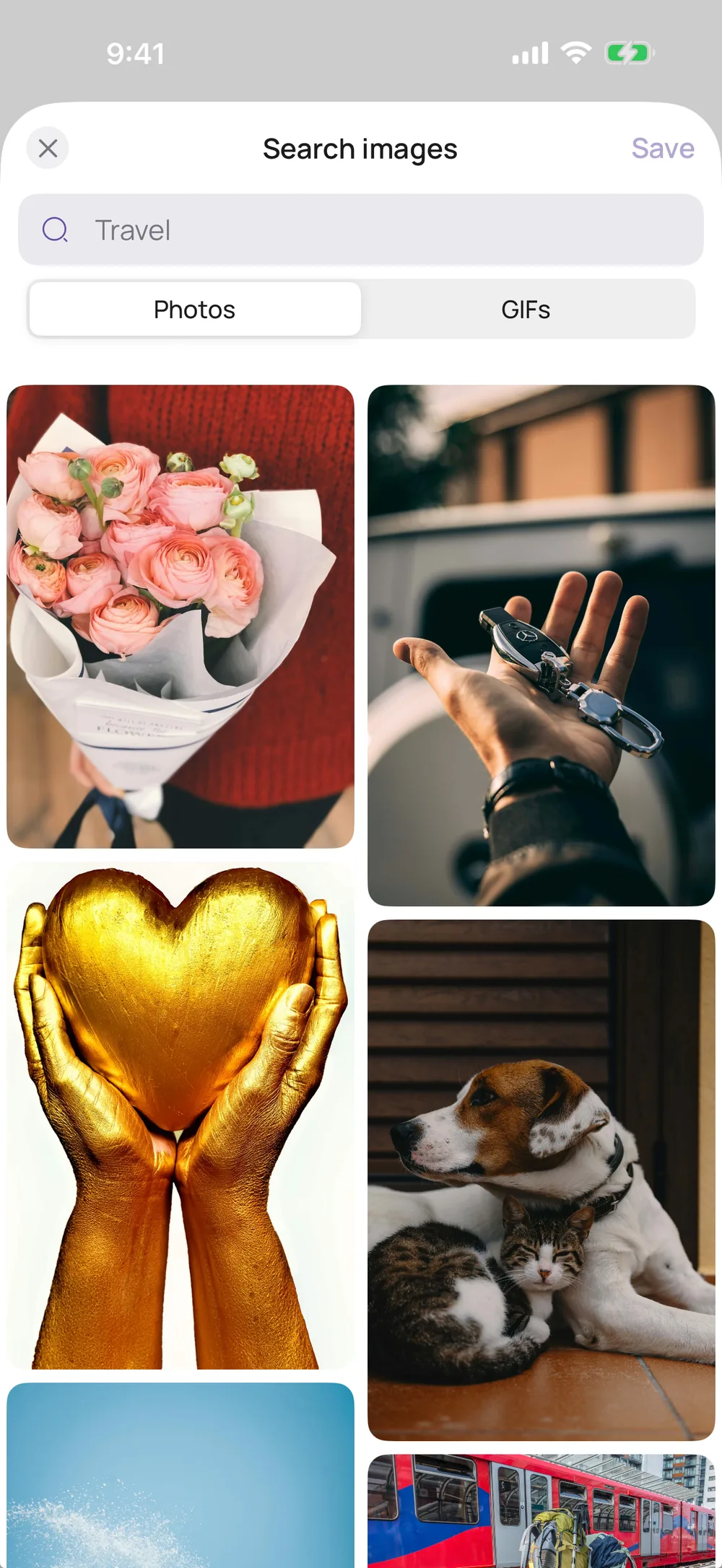
Add pictures, notes and stickers
Search photos and GIFs right in the app or upload your own. Then add notes, links, color swatches and stickers.
- 03
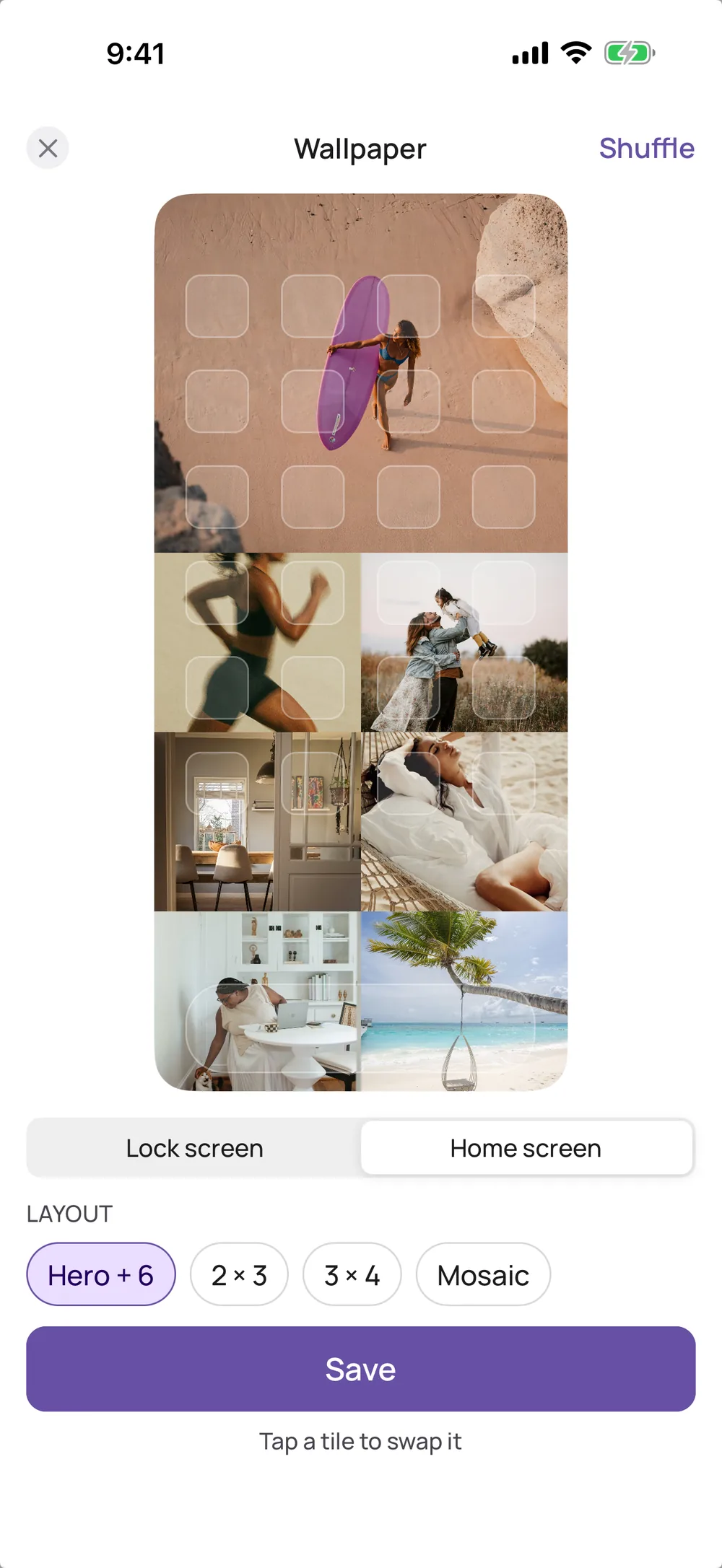
See it every day
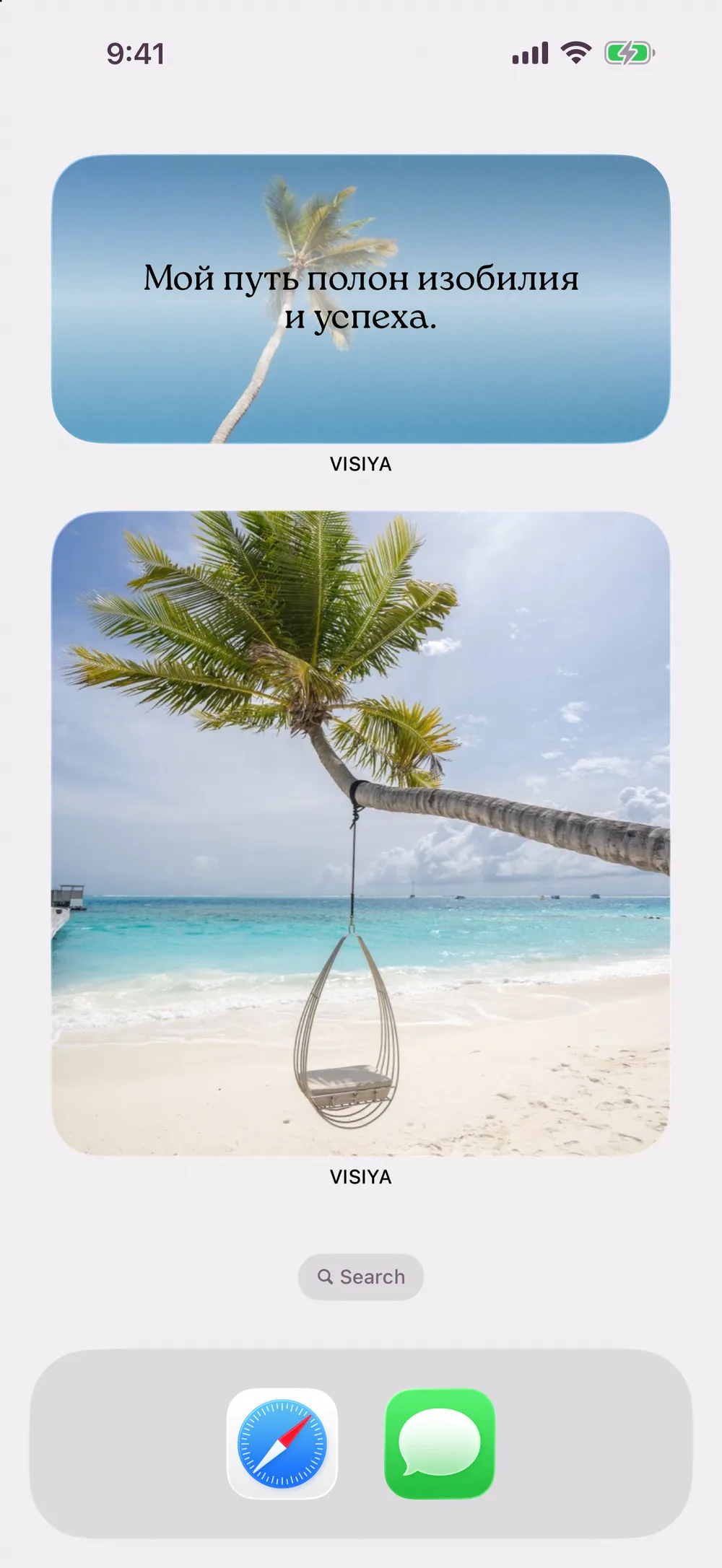
Turn your board into a wallpaper or add the board widget. Both come with VISIYA Plus, and you can preview the wallpaper for free.
Most days blur together. A vision board keeps what matters to you in focus.
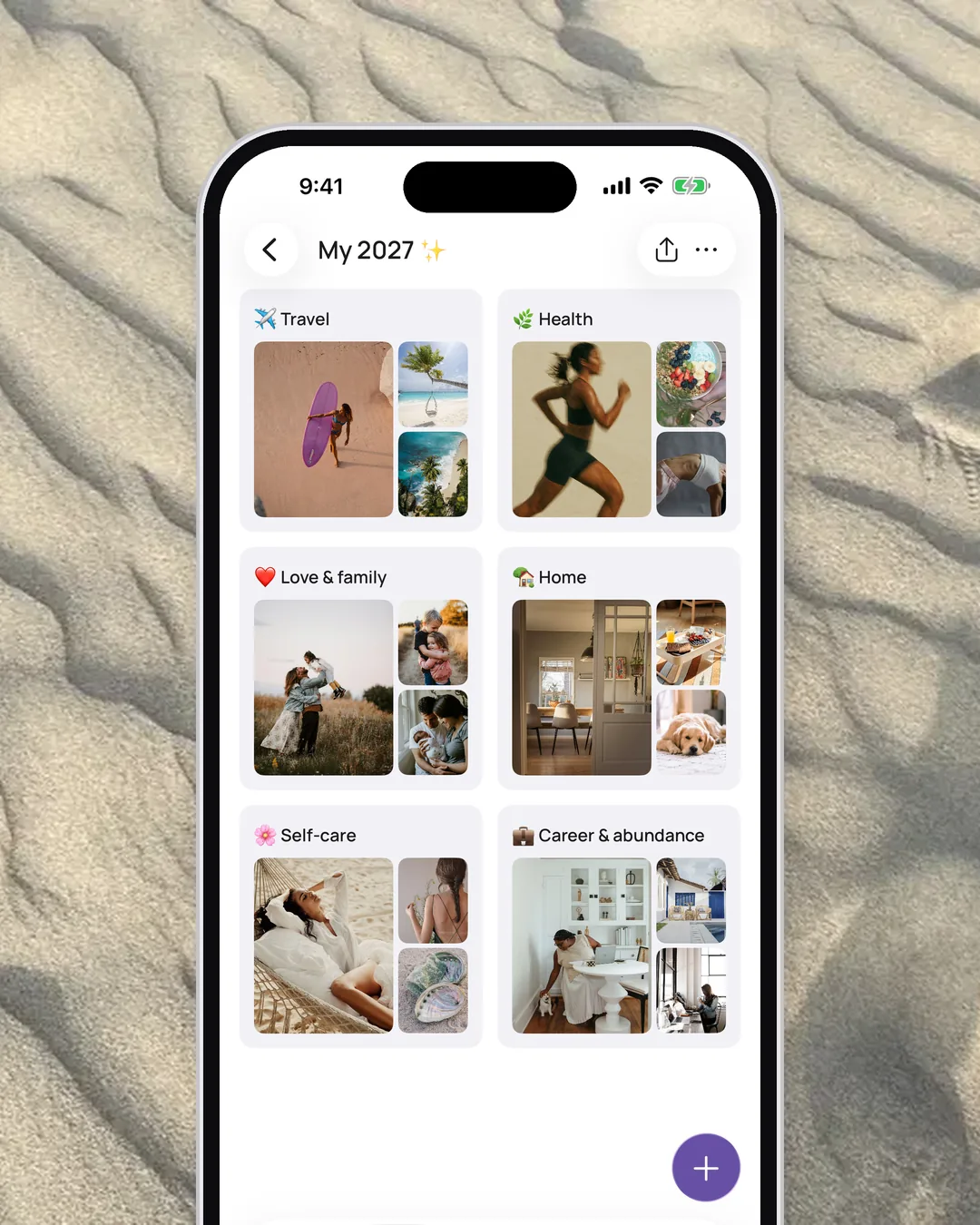
Visualize
See where you’re headed.
A trip, a new place, a promotion, more time with the kids: collect pictures for whatever you want next. When something comes true, mark it as fulfilled, and your board keeps count.
Learn more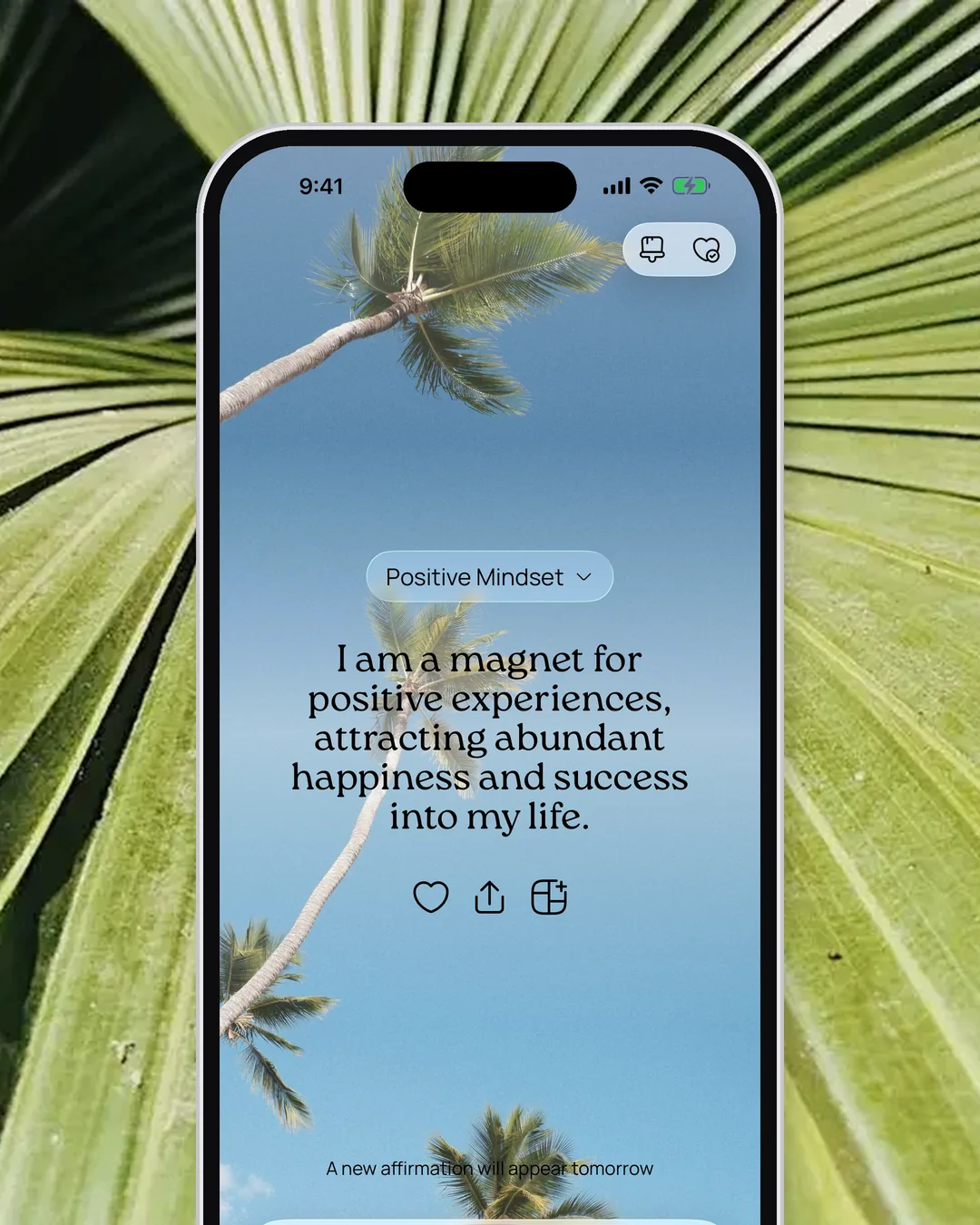
Affirm
One line for your morning.
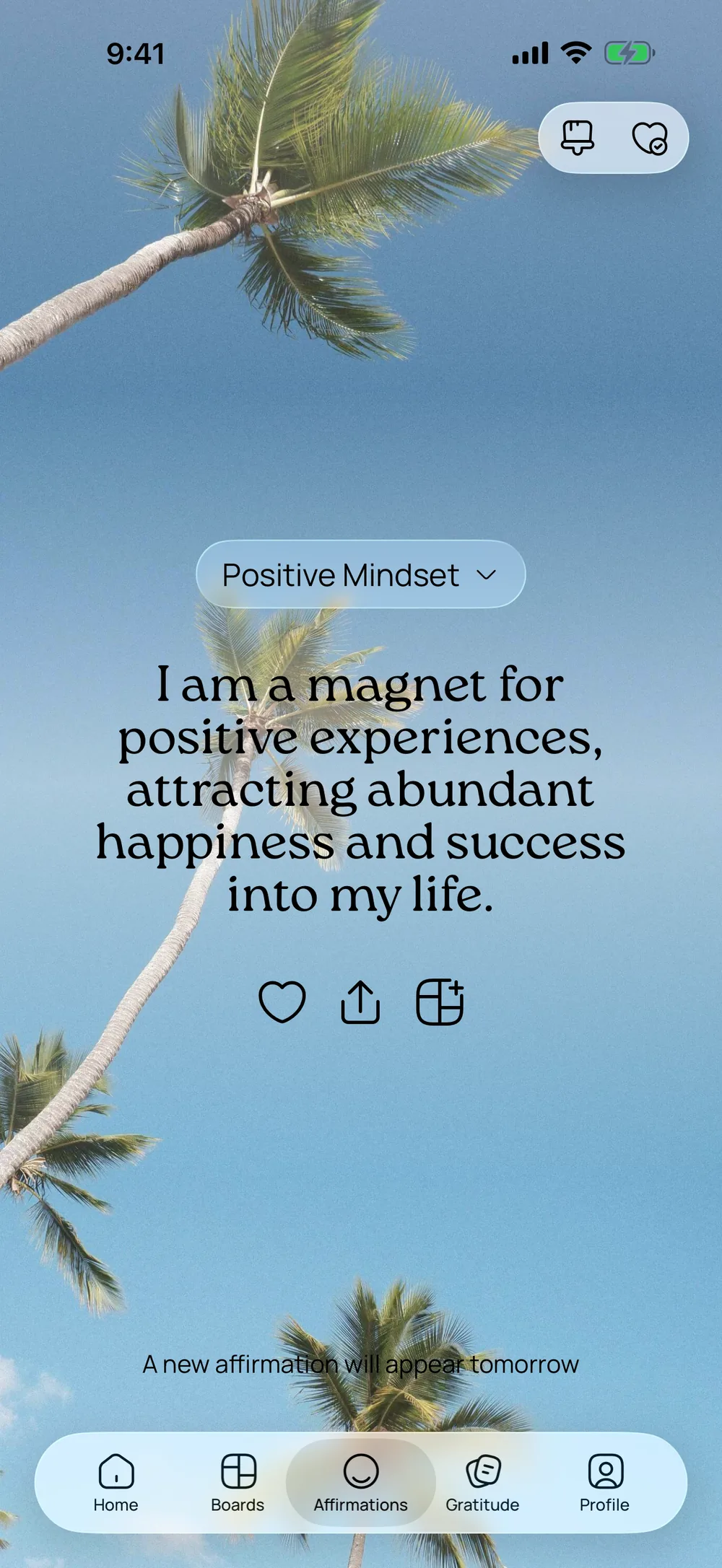
“I am a magnet for positive experiences, attracting abundant happiness and success into my life.”
Over 3,000 affirmations in 40 topics, and six topics are free. A new one is waiting every morning, and the home screen widget keeps it in view whenever you pick up your phone.
Learn more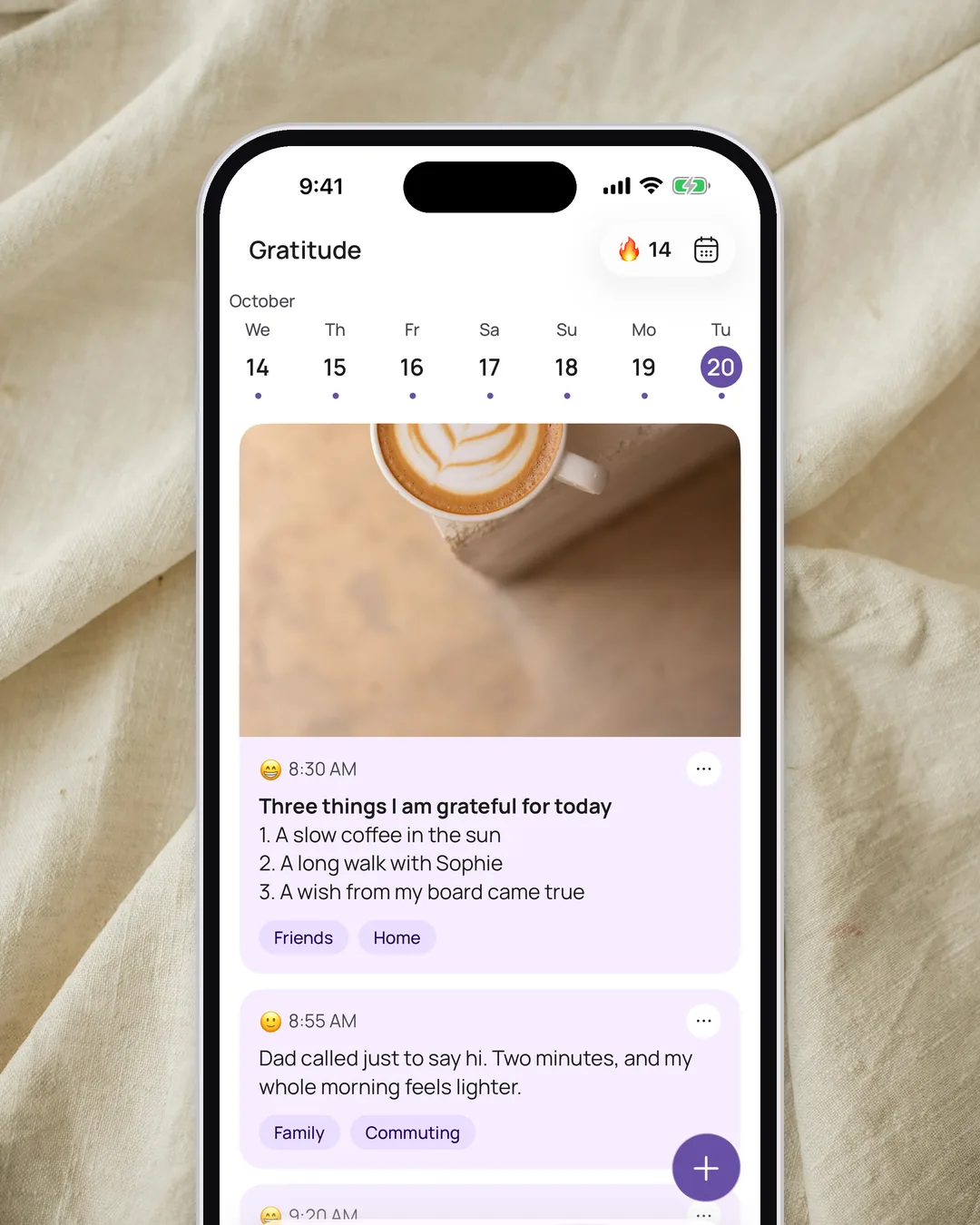
Appreciate
Two minutes at night.
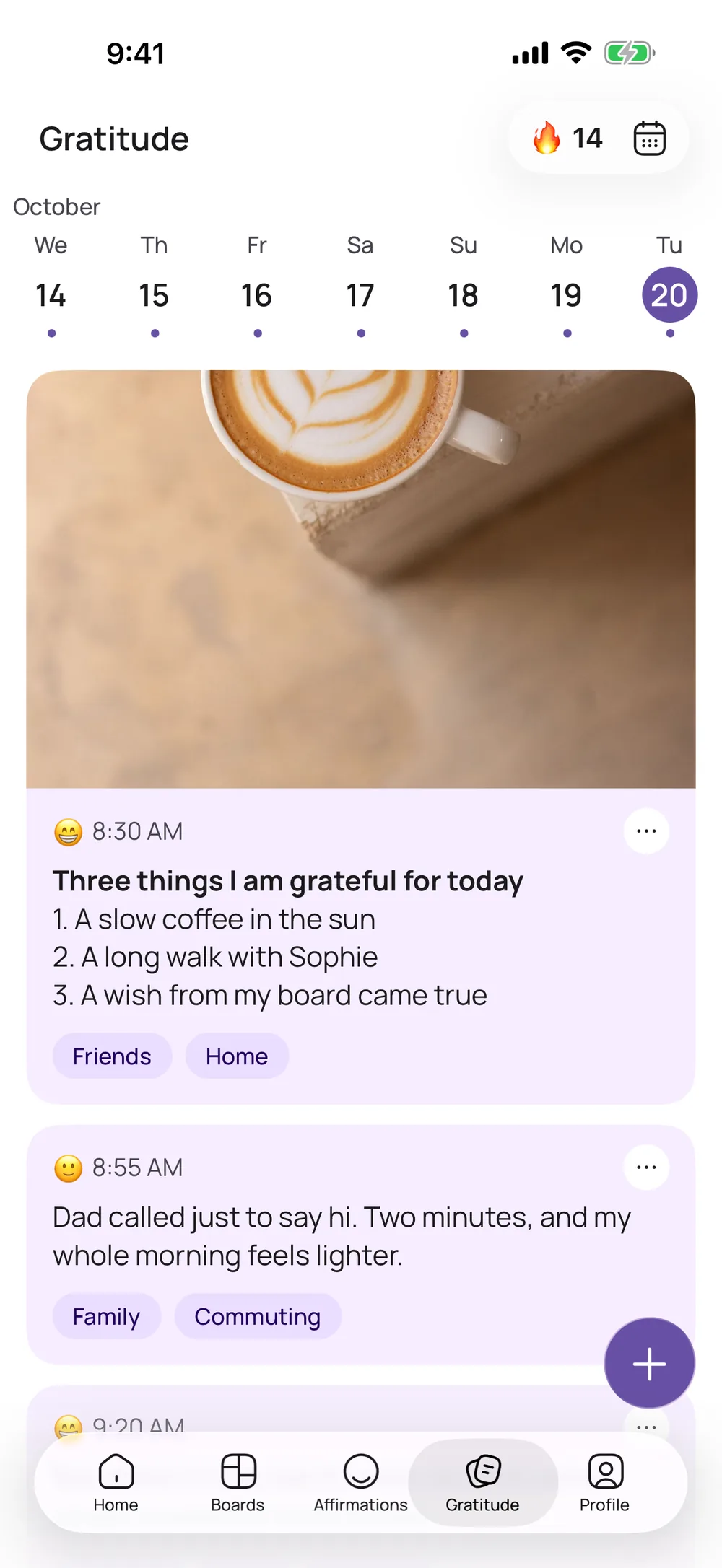
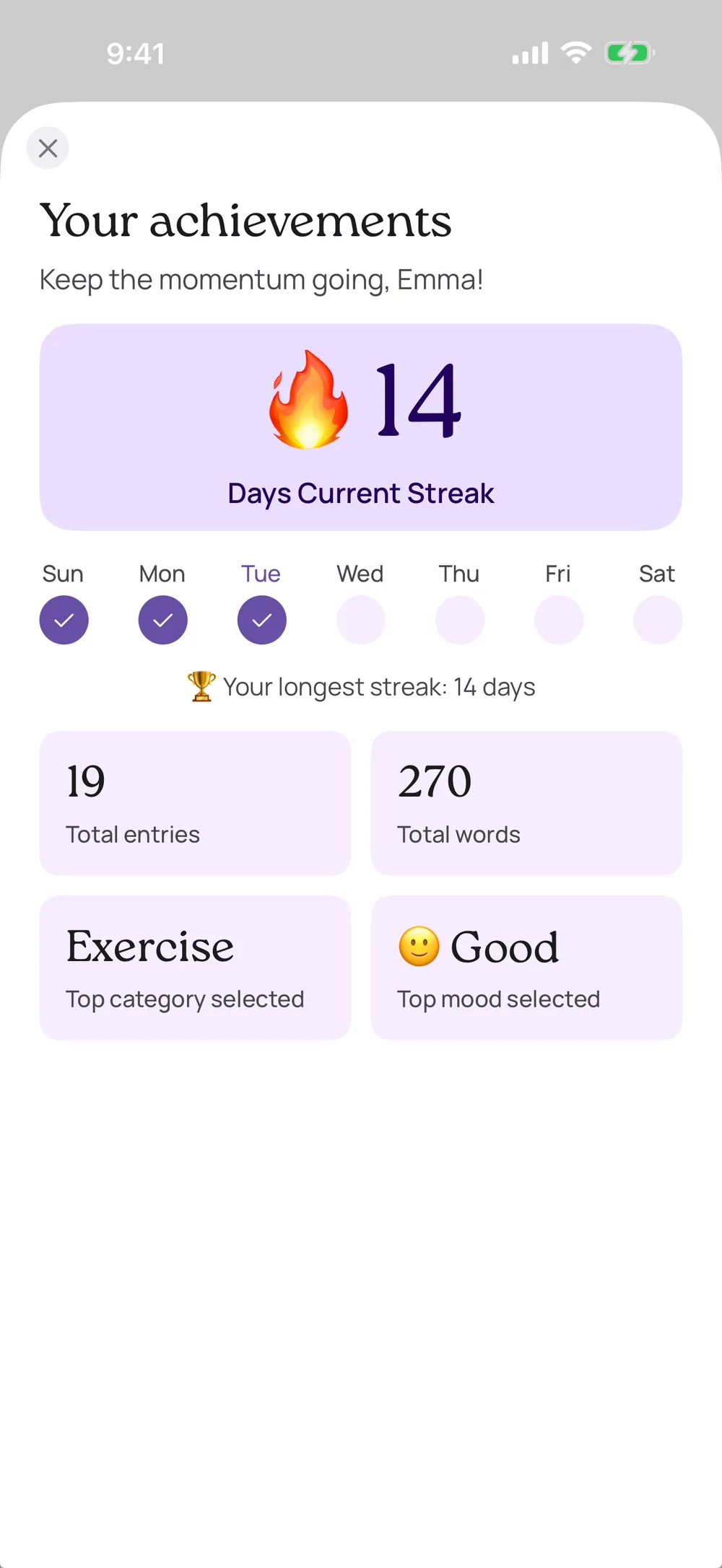
Write down what went well today, then add your mood and a few tags. Over time, “Your achievements” shows you what keeps making you happy.
Learn moreInside the app
A look inside VISIYA
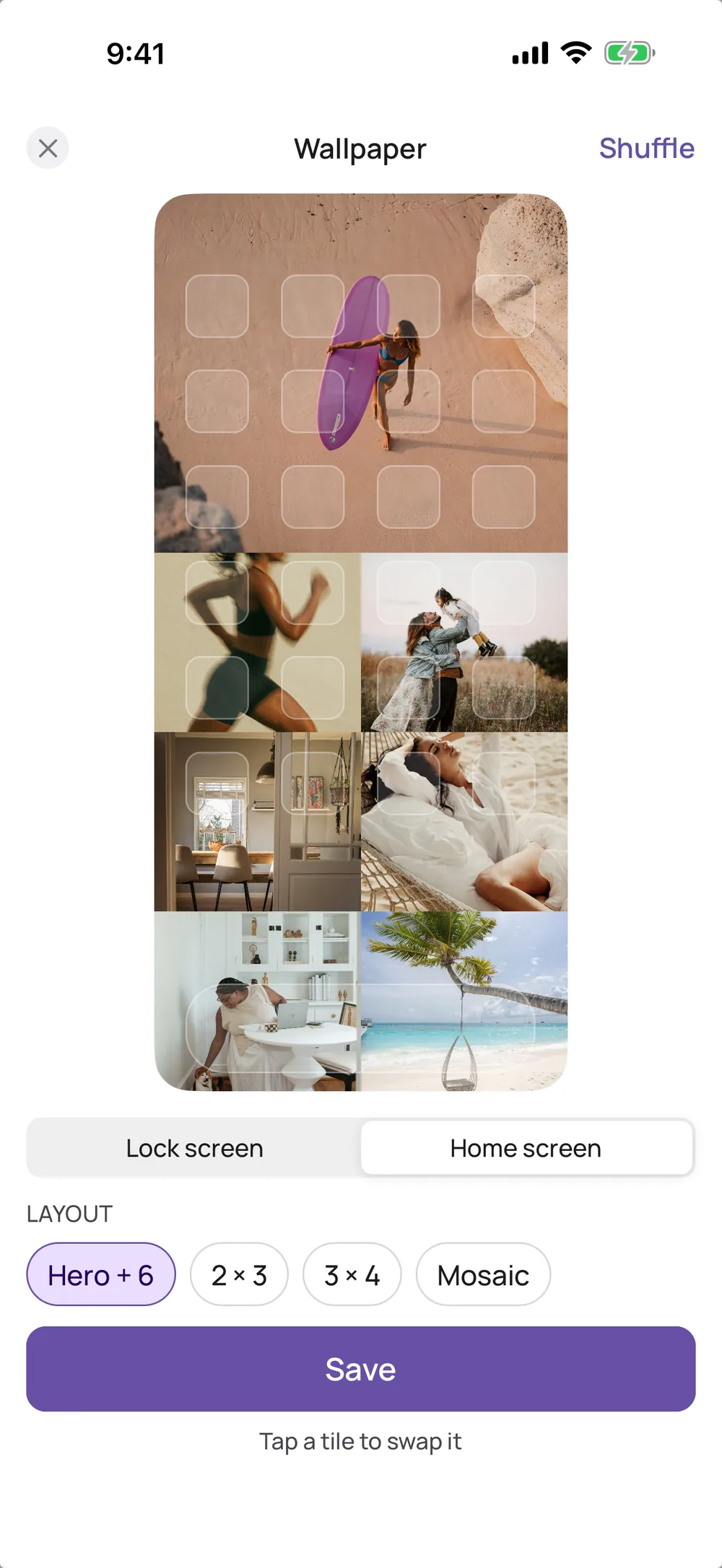
Boards, templates, the wallpaper editor, affirmations with a home screen widget and the gratitude journal.
New in VISIYA
Recently added
Your board as a wallpaper
Pick a layout, swap pictures and save it for your lock screen or home screen. Part of VISIYA Plus.
Share a board
Tap Dream together and send the code. Everyone who joins adds pictures and notes to the same board.
A new gratitude journal
Write first, then pick your mood and tags. You also get a calendar, a week view and your achievements.
Moon phases
VISIYA shows today’s moon phase and opens a page with every phase.
What’s free and what comes with VISIYA Plus
Free
- 1 vision board: your own or one of the 8 free templates
- Every template as a printable PDF
- 6 affirmation topics and the affirmation widget
- Gratitude journal with mood, tags and calendar
- Dream together: share a board or join one
- A wallpaper preview of your board
VISIYA Plus
- More vision boards
- Every template in the app
- Save your board as a wallpaper
- The vision board widget with all your pictures
- All 40 affirmation topics
- More stickers, backgrounds, fonts and app icons
- Journal photos and all writing prompts
VISIYA Plus is a one-time purchase. No subscription.
From the App Store
What VISIYA users say
“Finally I found THE vision board app for iPad. Love the design and that I can share my vision board with others.”
“A must-have — a versatile and intuitive tool for creating your own vision boards.”
Frequently asked questions
Is VISIYA free?
You can start for free: one vision board (your own or one of the eight free templates), six affirmation topics with the widget, the gratitude journal and every template as a PDF. VISIYA Plus adds more boards, all templates, saving your board as a wallpaper, the vision board widget and all 40 topics. It’s a one-time purchase, with no subscription.
Does VISIYA work on iPhone and iPad?
Yes. VISIYA is made for iPhone and iPad. Sign in with the same account on both, and your boards, affirmations and journal stay in sync. There’s no Android version.
How do I get my board on my lock screen?
Open your board, tap "…" and then "Create wallpaper", pick a layout and swap pictures until it feels right. Tap Save, then Save Image in the share sheet. From Photos, set it as your lock screen or home screen wallpaper. The wallpaper and the vision board widget are part of VISIYA Plus. The affirmation widget is free.
Do I need a template?
No, you can start with a blank board. A template gives you areas like Health, Love or Career, with prompts and image ideas. Eight templates are free in the app, including Wheel of Balance Board, Feng Shui Bagua Board and This Year I Will, and every template is a free PDF on this site.
Is my data safe?
Yes. Your boards and journal are tied to your account. You can start as a guest and sign in with Apple or Google later. Nobody sees a board unless you invite them with Dream together. You can lock the app with Face ID, and in Profile you can delete your account and all its data.
Visualize. Affirm. Manifest.
Your future is worth picturing
Start your vision board today — free on iPhone and iPad.
 Scan to download VISIYA on the App Store